VIAM
Unlocking data & AI in the physical world
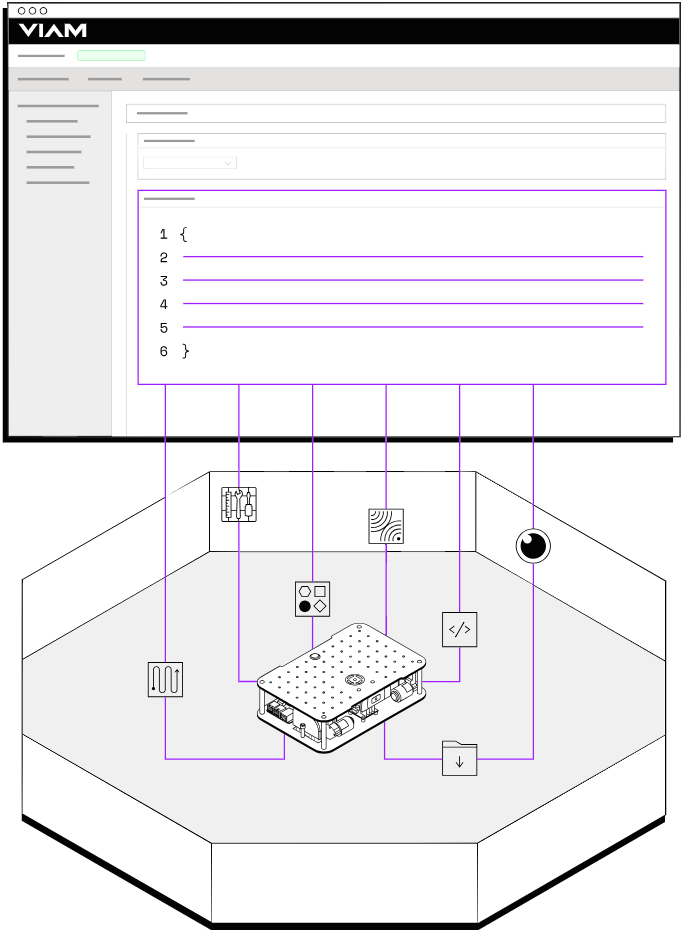
Viam is the easiest way to bring data, AI, and automation into your business. Add cutting-edge capabilities to existing systems, and build new ones fast.
TEAM
1 Project Owner
1 Designer
1 Technical Program Manager
7 Developers
MY ROLES
Strategy,
Competitive Research,
Experience Design,
User Research,
Visual design
PROJECT TIMELINE
Nov 2023 - Feb 2024
Final Outcomes
Outcomes:
$30 million series C with $117 million raised to date.
40+ B2B partnerships.
$16 million in projected revenue for 2025.
Active community of over 2,750 smart machine developers.
Over 23k machines created
Reduced configuration time by 65%, based on average rover setup times.
Trusted by
Company Overview
Viam has been working since 2019 to create a new standard for hobbyist developers developers to Fortune 500 businesses to configure, launch, control, and monitor their fleets of IoT and robotic devices.
To leverage the full power of Viam’s ecosystem of products, from data aggregation, machine learning models, and a registry of compliant components, users need a way to efficiently configure and test their new smart machines. Machine configuration acts as the core of the VIAM platform which other product services such as Fleet Management, Data, Machine Learning, & Registry derive their ecosystem level value from.
The Problems
The goals
✓⃝ Standardize components and developments
Create a design system to act as a single source of truth for the design and development teams.
✓⃝ Competitive analysis
Discover which patterns are most familiar to our desired user base.
✓⃝ Simplify existing creation flows
Consider how all of the user flows added since the beginning of development can work together seamlessly.
ⓧ Design/technical debt
Two years of features and development needed to be evaluated as a whole.
ⓧ Leverage industry best practices
Users prefer websites or applications to function in the same way as other sites they are familiar with.
ⓧ Streamlined user flows
Combine several complicated and separated user flows into a more cohesive experience.
Success Metrics
Before starting the design process I aligned with senior leadership on metrics to define the future success of the project:
It increases product adoption by enterprise customers.
It reduces configuration time for solutions engineers.
It integrates UI patterns common in developer platforms.
Research & Discovery
Competitive Analysis ROS
We looked into several leading competitors in the robotics and IoT spaces to align on feature parity and industry best practices.
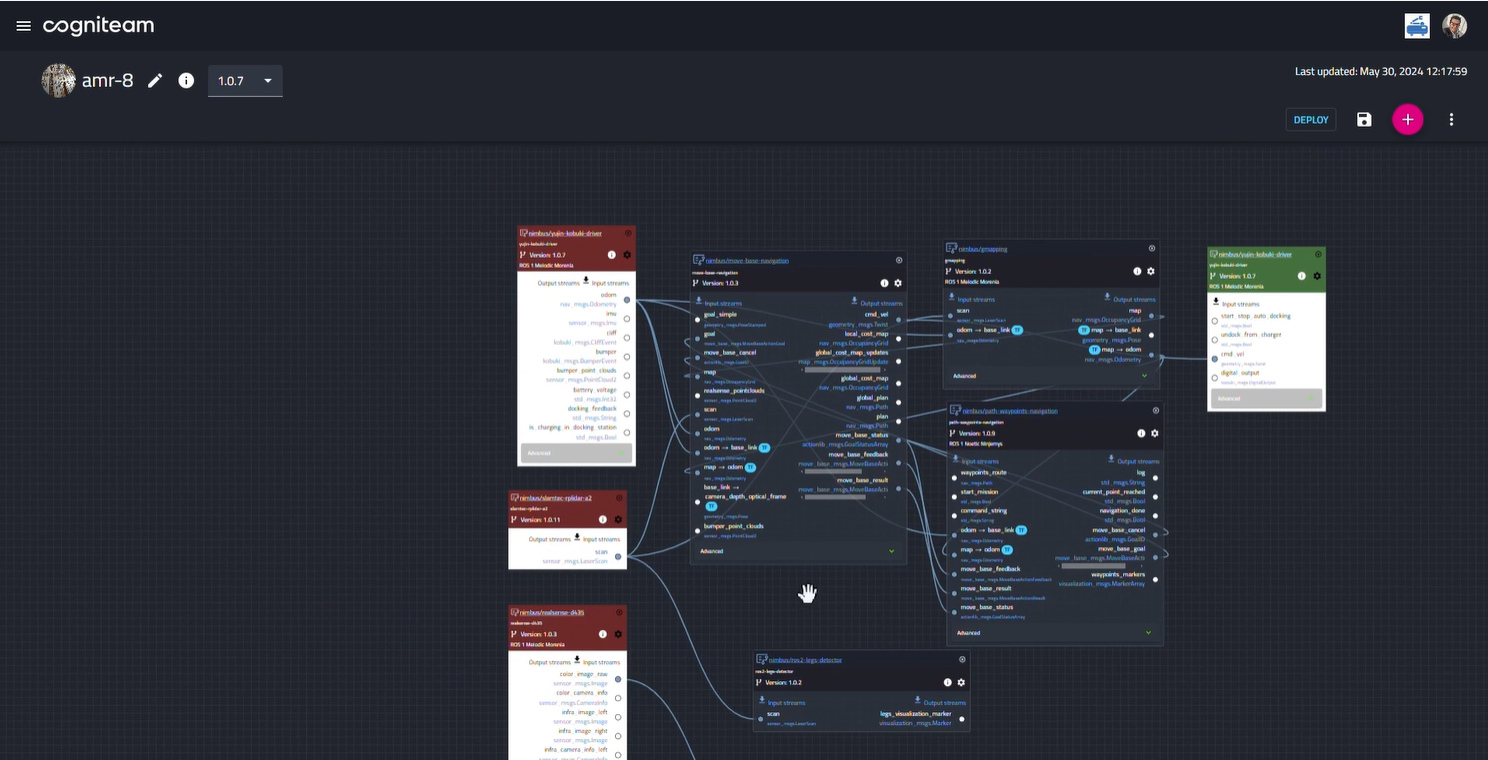
Cogniteam - Node based editor ROS wrapper
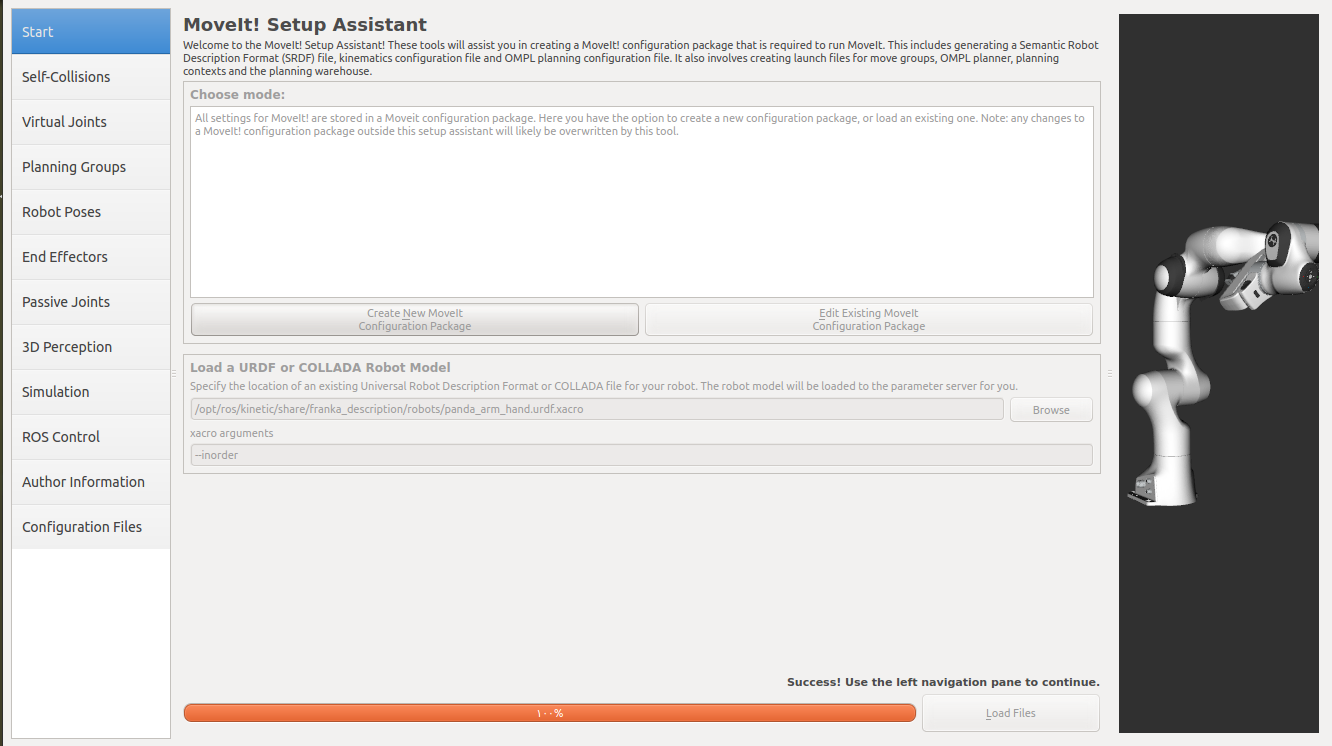
ROS MoveIt - Standard in industry and academia
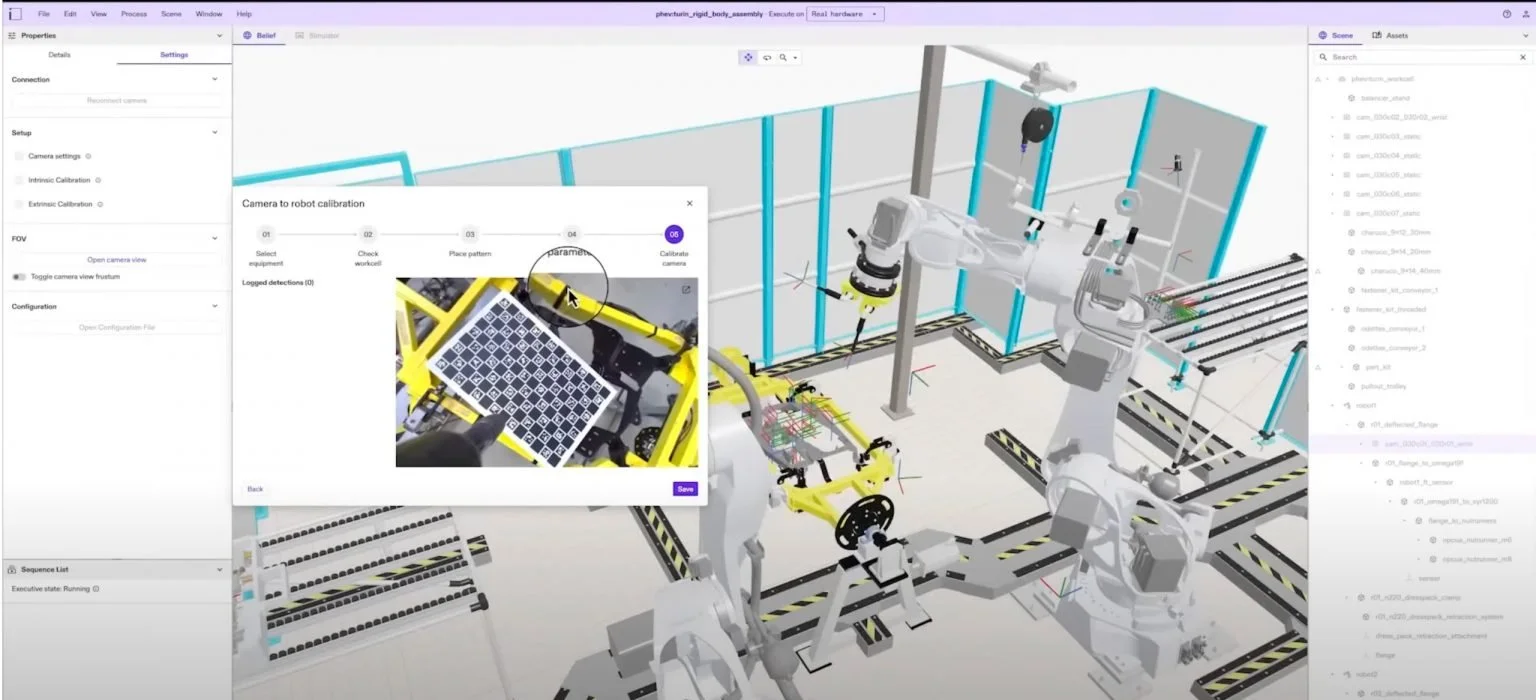
Intrinsic Flowstate - Alphabet backed startup ROS wrapper
Competitive Analysis IDEs
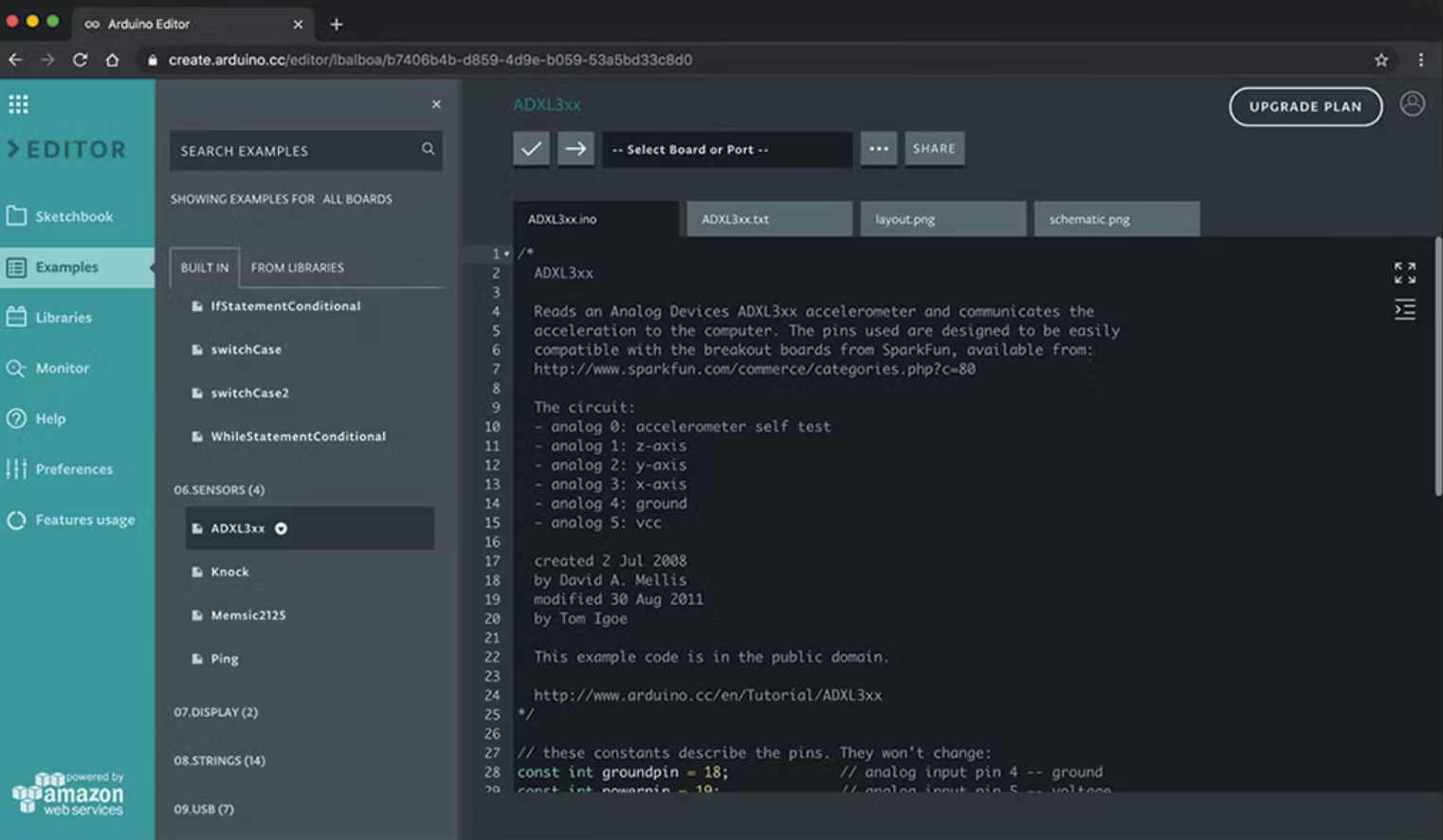
ArduinoWeb - Flexibility of a native web IDE influenced opinions on the flexibility the team wanted to have on our own platform.
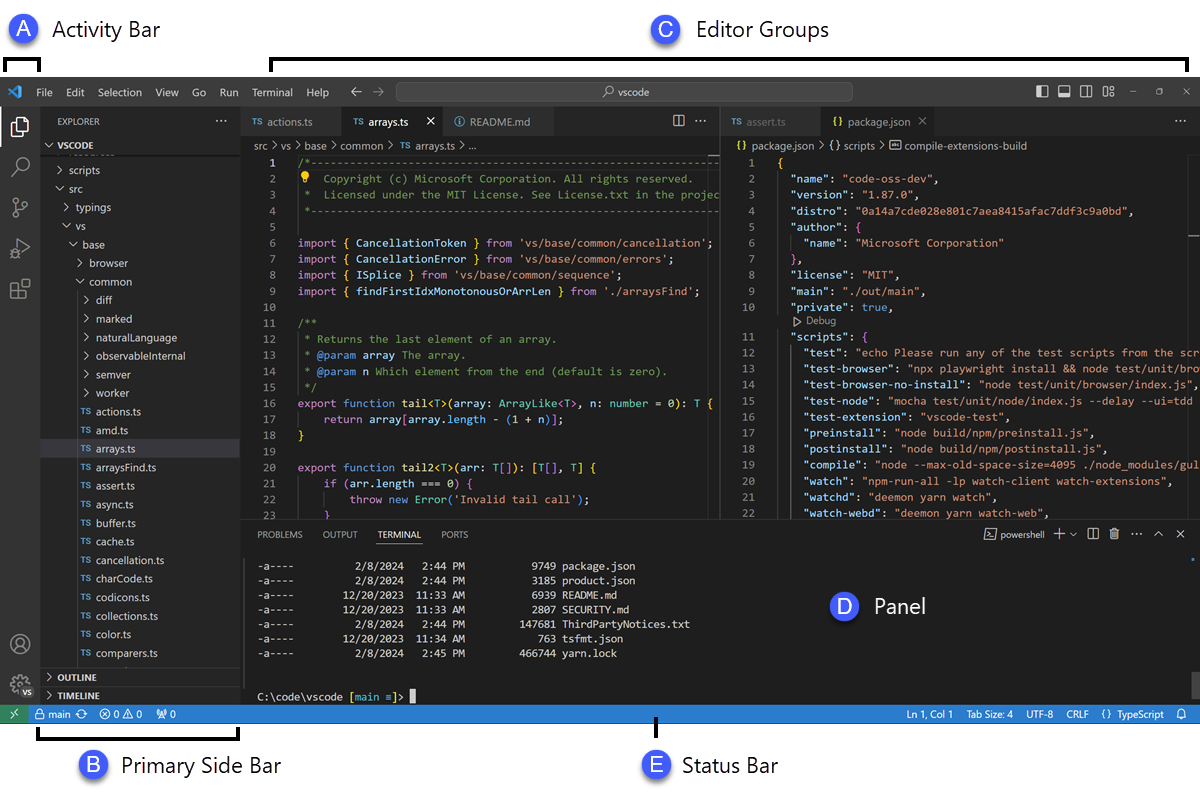
VScode - Primary side bar acted as a major pattern motivation
Key Insights
File-tree navigation is essential: Developers expect to see a structured, nested view of machine components, similar to IDEs or JSON structures they're familiar with.
Configuration needs to be readable and editable: Users wanted clear machine definitions they could read at a glance — and the flexibility to edit settings inline or via raw JSON when needed.
Separation of setup and operation is critical: Many platforms confuse configuration with live control. Users wanted to configure safely before deployment — not while the robot is running.
Familiar UI patterns reduce ramp-up time: Competitor tools like ROS and Intrinsic often rely on complex CLI tools or XML files. Viam’s web-based UI had an opportunity to stand out with familiar UI/UX conventions.
Debugging needs to be integrated: Users expected to see real-time logs, validation warnings, and machine state summaries during configuration to reduce guesswork and deployment errors.
Ideation & Conceptualization
Flow mapping
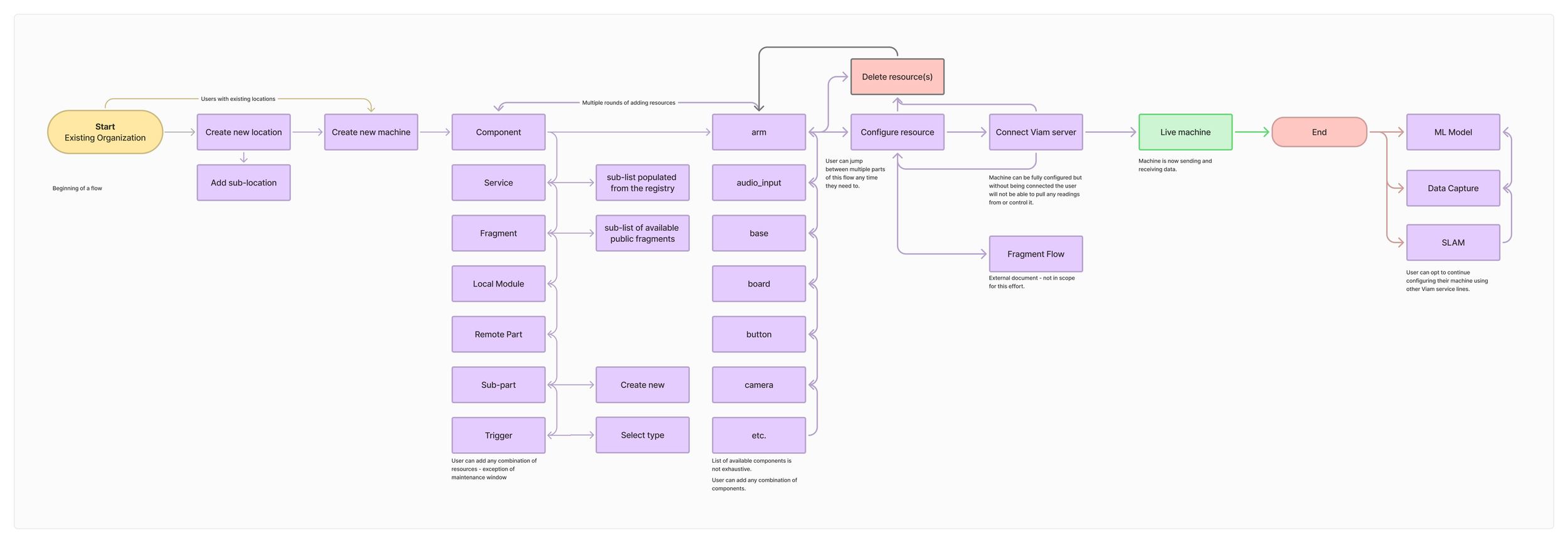
User flows were used to align with senior stakeholders on the desired paths we wanted users to take through the app.
Wireframing
The design needed to allow users to scale the configuration to as many or few parts and resources as they need.
I put together low-fidelity wireframes to visualize the flows, layout and structure allowing us to test the simplicity and experience of the product to gain early feedback and make improvements before moving to detailed designs. This highlighted a need for users to be able edit choices once results were generated to refine the outputs.
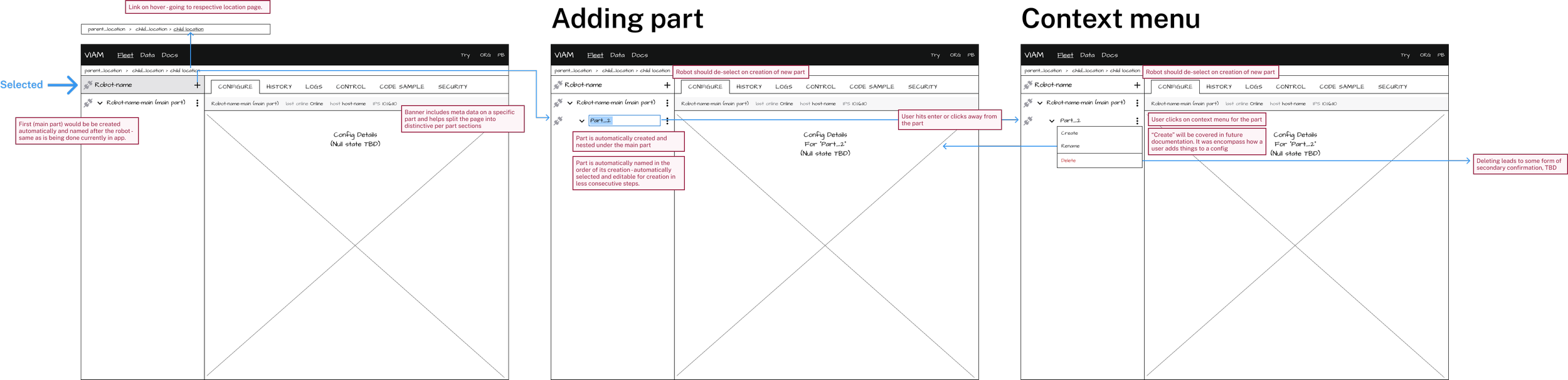
Parts our the foundation of machines on Viam, this redesign sought to make them easier to create, find, and modify.
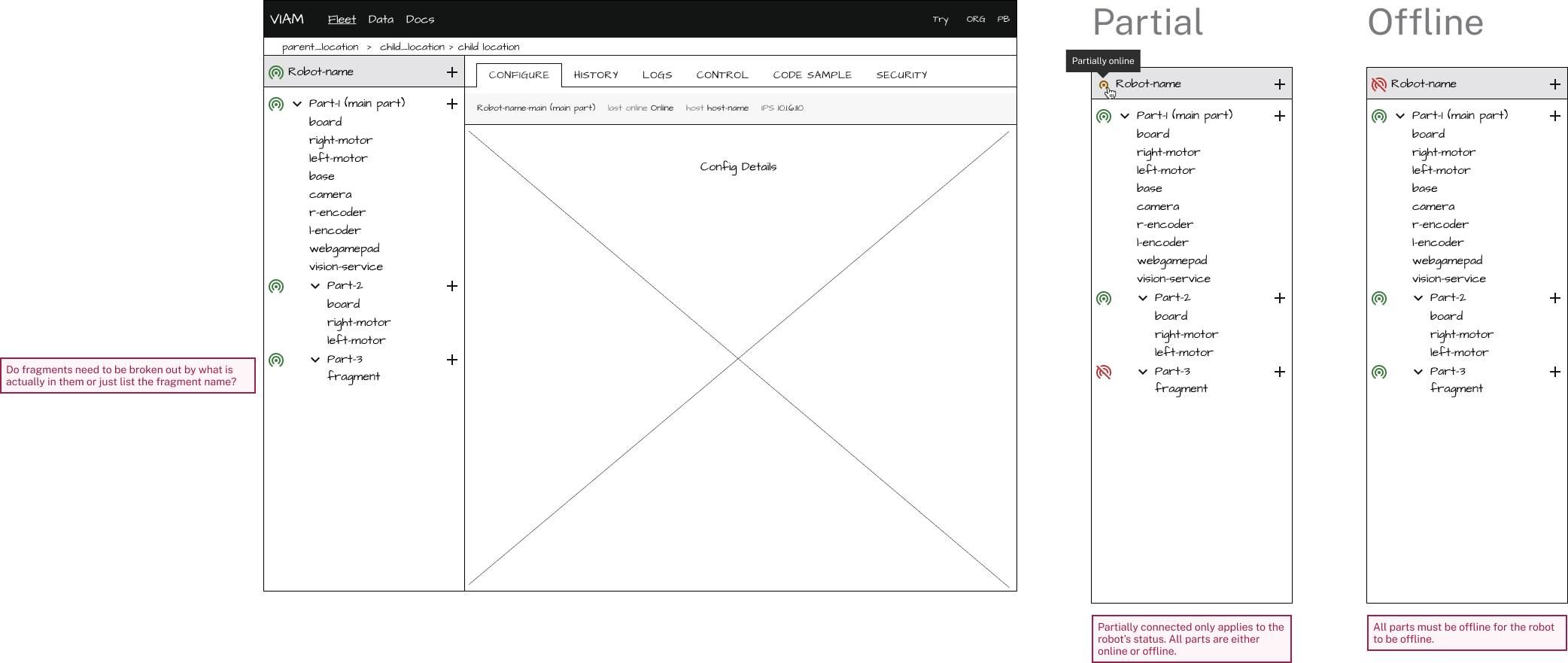
Machines can contain an infinite number of sub-parts and resources, ensuring that these levels worked seamlessly together in the tree structure was a major early goal in concept ideation.
PRIME Design System
As part of a larger effort to align engineering teams with design the PRIME library was migrated to a more robust platform to support additional documentation. Pattern examples and best practices were added, along with pages the new components which were built for the redesign.
Key Final Screens & Features
Null State
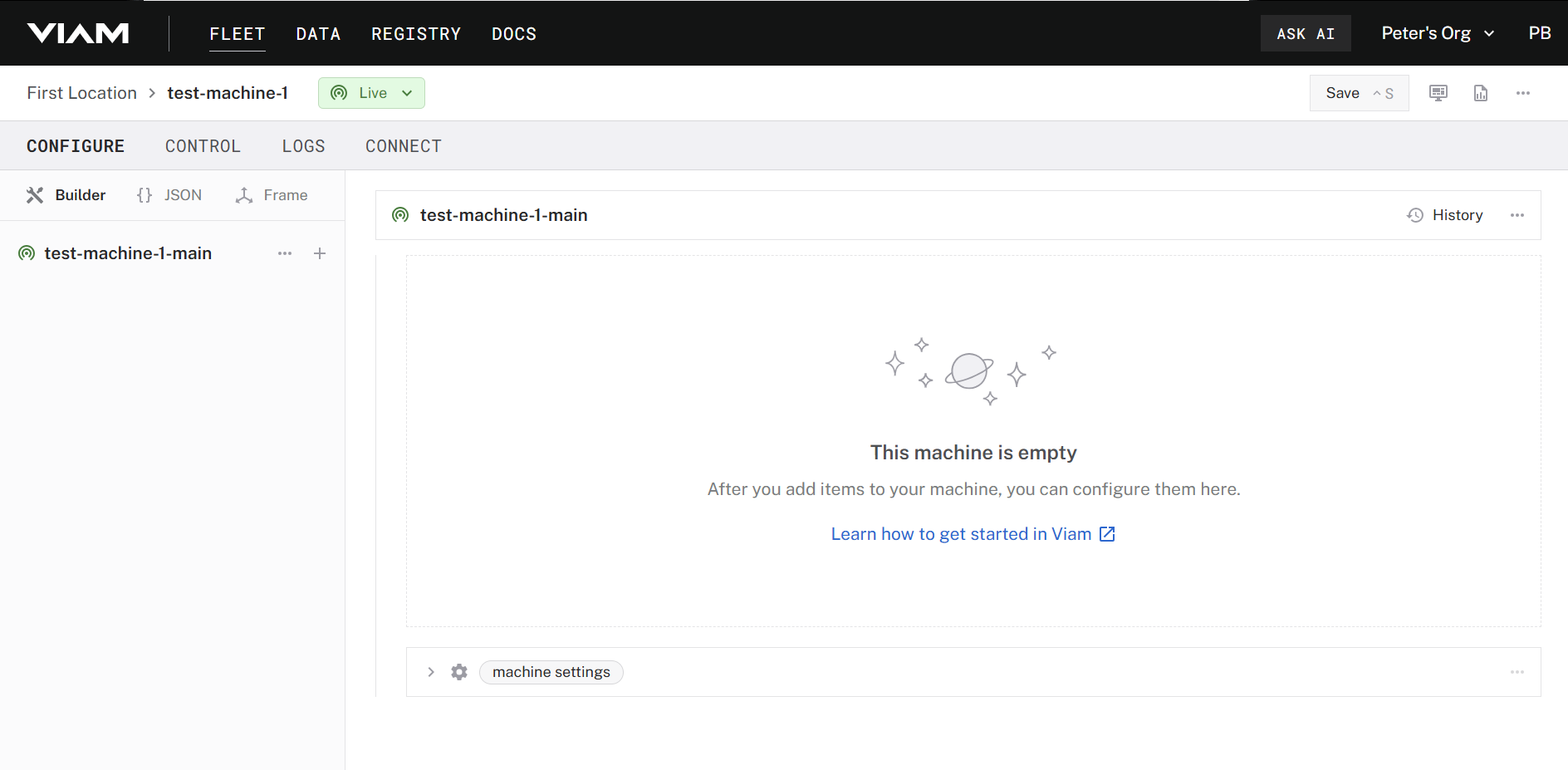
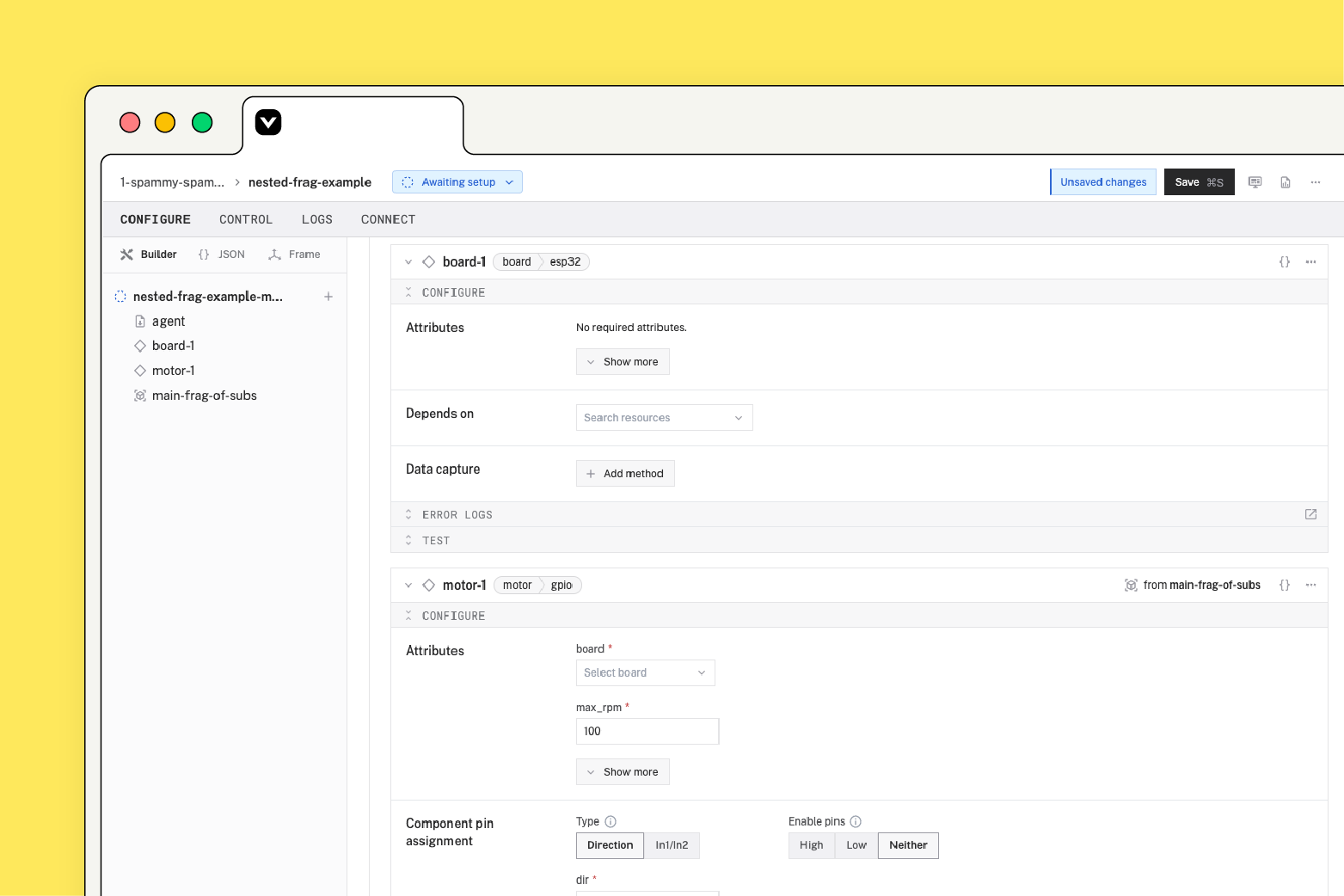
A friendly null state welcomes the user to their newly created machine and guides them through the process of how to get started.
Adding Resources
Adding new resources to a machine - this single pane of glass approach allows our users to add everything for critical version control management to a large library of pre-vetted components and services.
Fully Configured Machine
When fully configured, the tree navigation and resources pane compliment each other by allowing a user to rapidly navigate between different areas of their machine’s configuration.
JSON Configuration
The JSON view allows users to have a more granular configuration experience by directly editing the code which will be exported to their machines.
Frame Configuration
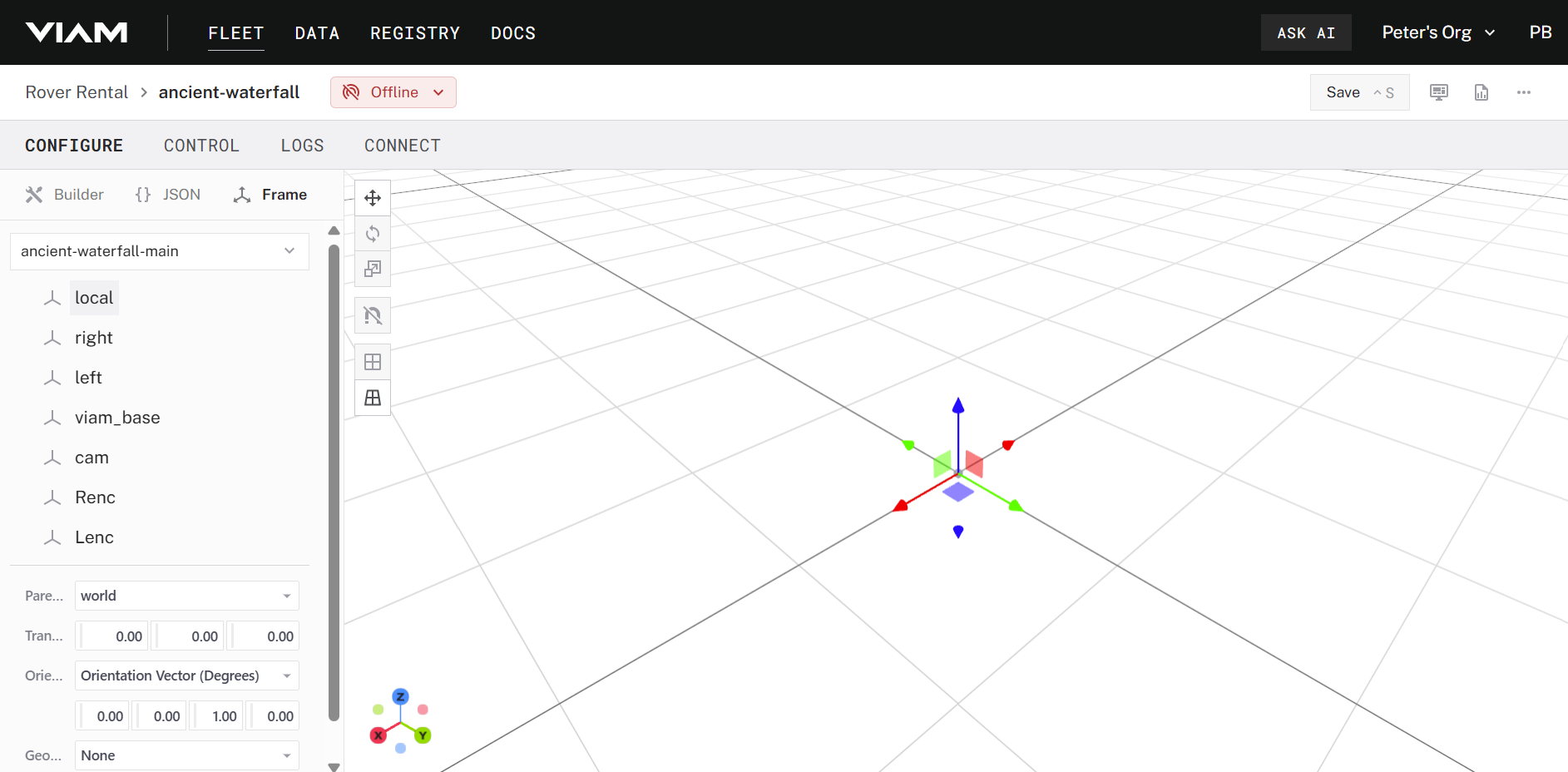
The frame system allows users to define the dimensions of their machines in space so kinetic operations do not impact the world.
Logs
Logs provide users a direct view into what their machine is doing, an avenue to diagnose potential problems, and aligns with industry leading IDEs
Connect
The connect tab provides users with boiler plate code and other critical methods which they can use to connect to their machine.
Reflections & Learnings
Challenges & Areas for Improvement
⏳ Overall time to develop & launch
🚦 Phased launch approach would have allowed us to launch faster
🎨 Simultaneous development of the design language during this effort
🤹 Balancing other organization demands with a long-term project
What Went Well
📈 Higher engagement with both business and consumer customers
💡 Reduced effort for our solutions engineering team members
⏱️ Reduced times for task completion
🧩 Integration of long-standing and blocked backlog items
Conclusion
Based on the initially defined success metrics, the configuration redesign was able to:
Increased product adoption.
Improved configuration was directly cited for closing 2 clients (Tennibot & Billion Oyster Project) which had been indecisive about using Viam before the redesign.
Reduced configuration time.
After testing, we found an average 42% configuration time reduction using Viam rovers
Integration of common developer UI patterns
By introducing a component tree, version history, & a JSON view we collected qualitative feedback from users that the app more closely matched their expectation for developer tooling.
Drive a Viam Rover
Remotely control a Viam Rover in our NYC robotics lab for 10 minutes. Drive it around, explore its configuration, or write code to control it—all from wherever you are.